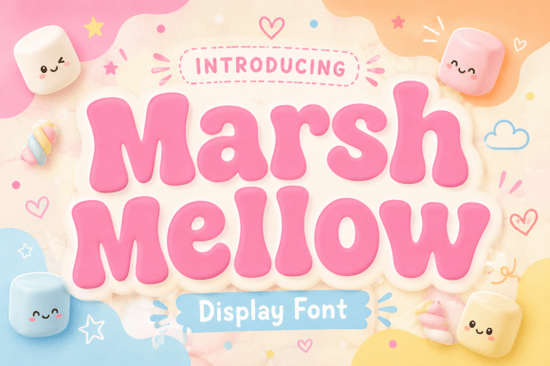
Finding the right typography can make or break a creative project, especially when you want to convey a specific mood without saying a word. If you are looking for something that feels warm, inviting, and distinctly nostalgic, the Marshmellow Font is a strong candidate to consider. This typeface steps into an era brimming with joy, offering a beautifully chunky, retro-style display option that exudes an easy-going ambiance. It is designed for creators who want their work to feel approachable and fun rather than stiff or overly corporate.
What kind of vibe does this typeface bring?
The core appeal of this font lies in its ability to evoke the hip, unique energy of the 1970s. It flaunts thick-set, pillowy characters and soothing, curvy outlines that reflect the sugary delight its name implies. When you use it, you are not just picking letters; you are selecting a tone. The affable, soft-edged structure instantly imbues any artful project with a rejuvenating sense of delight, humour, and bygone charm. This makes it particularly effective for brands that want to appear friendly and established.
Designers often struggle to find display fonts that are bold without being aggressive. This option manages to be substantial while remaining soft. If you enjoy this era, you might also explore styles similar to vintage magical themes to see how different weights and textures can alter the perception of nostalgia. The depth of the characters here ensures legibility even at smaller sizes, which is crucial for packaging where space is limited.
Where does this font work best?
Although perfectly tailored for designs infused with a fun-loving charm, this typeface sparkles in a multitude of uses. It ranges from engaging logos and brand identities to eclectic packaging designs. For print-on-demand sellers, this is a valuable asset. The playful merchandising and clothing designs benefit greatly from letters that look good on a t-shirt chest print or a tote bag. It stands out against both light and dark backgrounds due to its significant weight.
Social media graphics also need to grab attention quickly as users scroll through their feeds. Dynamic social media graphics require text that can be read in a split second. If you are building a brand identity, you might want to capture a specific feeling or memory that resonates with your audience. This font helps anchor that feeling visually. Additionally, for those creating products for children or families, it is perfect for youthful and playful products where seriousness is not the goal.
How should you pair this with other elements?
When working with chunky display fonts, balance is key. You do not want the entire design to feel too heavy. Pairing this with a clean, simple sans-serif for body text creates a nice contrast. If you are designing a logo, consider stacked lettering styles for compact layouts where vertical space is preferred over horizontal width. This allows the pillowy characters to shine without overwhelming the composition.
Color palettes play a huge role in maximizing the retro effect. Think warm oranges, muted yellows, and soft browns. However, do not be afraid to use modern pastels to give the 70s vibe a contemporary twist. If your design requires more movement, you could explore fluid text arrangements to complement the curvy outlines of the main typeface. The goal is to ensure the secondary elements support the main headline rather than competing with it.
What should you consider before downloading?
Before adding this to your library, think about your specific project requirements. Check the file formats included to ensure they work with your software, whether that is Adobe Illustrator, Canva, or Procreate. Also, review the licensing terms, especially if you plan to use the font for commercial merchandise. Many creative hobbyists overlook this step, but it is essential for small businesses to stay compliant. Ensure the font supports the languages you need if you are selling internationally.
Testing the font on your actual mockups is the best way to decide. Put it on a shirt, a label, or a social post to see how the kerning behaves. Sometimes a font looks great in a preview image but needs adjustment in real-world applications. Taking the time to tweak the spacing can make the difference between a good design and a great one.
Quick Design Checklist
- Check Legibility: Ensure the thick characters remain readable at small sizes on packaging.
- Verify License: Confirm commercial use rights for print-on-demand items.
- Test Colors: Try warm retro palettes to match the 1970s energy.
- Pair Wisely: Use a simpler font for body text to balance the chunky headlines.
- Mockup First: Always view the text on a real product image before finalizing.
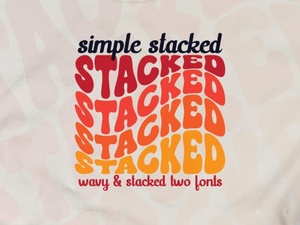 Easy Stacked Typography Design Tutorial
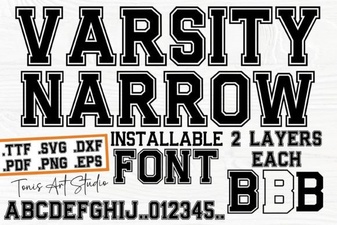 Creative Projects with the Varsity Narrow Font
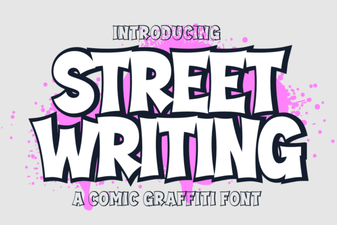 Urban Scripts: Design Tips & Creative Project Ideas
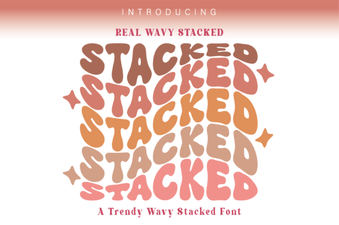 Wavy Stacked Fonts for Creative Design Projects
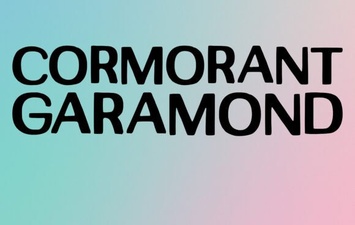 Unlock Elegant Typography with Cormorant Garamond
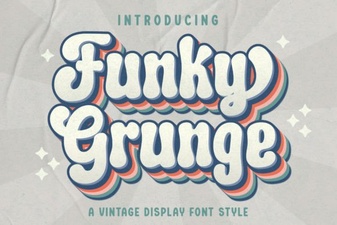 Unleash Your Designs with Funky Grunge Fonts