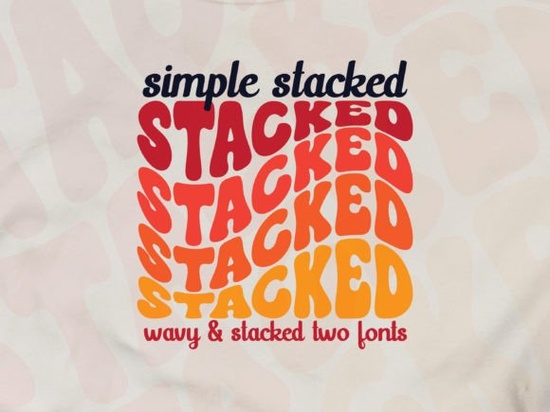
If you are looking for a typeface that brings back the 70s without feeling outdated, this might be what you need. The Simple Stacked Font offers a distinct groovy style that catches the eye immediately. It is not just a standard bold font; it comes with a wavy effect and a triple rainbow structure that adds depth to your text. This makes it a strong choice for designers who want to create something playful yet stylish without spending hours on manual effects.
Many creators struggle to find display fonts that feel retro but still work for modern branding. This typeface bridges that gap. The layers are pre-designed, which saves time when you are working on tight deadlines. Instead of stacking multiple copies of a font to create a shadow or 3D effect, the work is already done for you. This is particularly helpful for print-on-demand sellers who need to upload designs quickly while maintaining high quality.
What makes the wavy effect useful for branding?
The wave in the lettering gives it movement. Static text can sometimes feel boring on a logo or a t-shirt. When you introduce a curve, it guides the viewer's eye across the design. When exploring other layered typefaces with curves, you notice how rare it is to find one this clean. Some wavy fonts can be hard to read, but this one keeps the legibility intact. That balance is crucial for small businesses that need their name to be understood instantly.
Color plays a huge role here. Because the font has three layers, you can assign different colors to each stack. This creates a natural rainbow effect without needing complex gradients. For projects needing more color variation, you might check out colorful duo options as well. However, the triple layer here gives you more flexibility for shading and highlighting. You can make the text pop against a dark background or keep it subtle on a light one.
Which software works best for editing?
The recommended software for this file is Adobe Illustrator. Vector files are essential because they allow you to scale the design up or down without losing quality. If you are making a large banner or a small sticker, the edges will remain sharp. Illustrator also makes it easy to ungroup the layers. Once you ungroup the text, you can move the individual rainbow stacks apart or change their colors independently. This level of control is important for custom client work.
If you are not familiar with vector software, there is a learning curve. However, many tutorials exist to help you understand how to manipulate layered fonts. The key is to expand the appearance so the stacks become editable shapes. Once you do that, the design is fully yours to modify. This flexibility ensures that you are not stuck with the default look if your brand guidelines require specific hex codes.
Where can you use this typeface effectively?
This font shines in retro-inspired projects. Think of vintage coffee shop logos, skateboarding apparel, or music festival posters. The groovy vibe fits well with anything related to the 60s and 70s culture. If you want something grittier, compare it against distressed retro styles. While grunge fonts add texture and noise, this one keeps things smooth and clean. Choose the smooth version if you want a polished look, and the grunge version if you want something that looks worn and aged.
It is also suitable for social media graphics. Instagram quotes or YouTube thumbnails benefit from bold, layered text that stands out on small screens. The thickness of the letters ensures readability even when the image is resized. For sports branding, athletic lettering is usually the go-to, but this works for lifestyle brands that want a softer approach. It conveys energy without being aggressive.
Sometimes you need an urban script alternatives feel, but this is more structured. Street writing fonts often mimic handwriting or graffiti, which can be hard to read. This stacked font offers the urban vibe with much better clarity. It is a safe choice for merchandise that needs to appeal to a broad audience, including children and adults.
How do you maximize the design potential?
To get the most out of this tool, consider the background color carefully. Since the font relies on multiple layers for its effect, a busy background might clash with the text. Solid colors or simple patterns work best. You can also add a drop shadow behind the entire wordmark to separate it further from the background. Experiment with contrasting colors for each layer. For example, using yellow, orange, and red creates a warm fire effect, while blue, teal, and purple feel cooler and calmer.
Remember that trends change, but retro styles tend to cycle back around. Investing in a quality groovy font is a safe bet for long-term use. Keep your files organized so you can find the vector versions easily when you need them. Always outline your text before sending files to a printer to avoid font substitution issues.
- Check licensing: Ensure you have the right license for commercial use if you are selling products.
- Test readability: View your design on a phone screen to ensure the layers are clear.
- Expand appearance: In Illustrator, expand the text to edit individual color stacks.
- Contrast matters: Pick layer colors that stand out against each other and the background.
- Save versions: Keep a copy of the original editable file and a flattened version for upload.
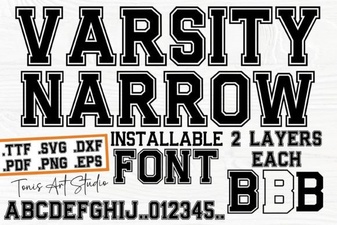 Creative Projects with the Varsity Narrow Font
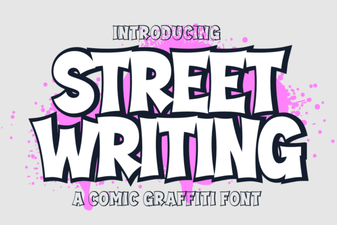 Urban Scripts: Design Tips & Creative Project Ideas
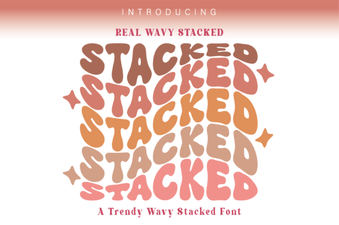 Wavy Stacked Fonts for Creative Design Projects
 Unlock Elegant Typography with Cormorant Garamond
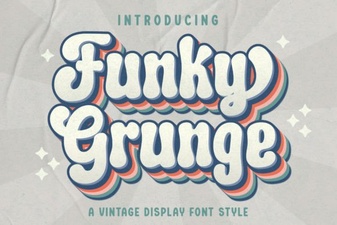 Unleash Your Designs with Funky Grunge Fonts
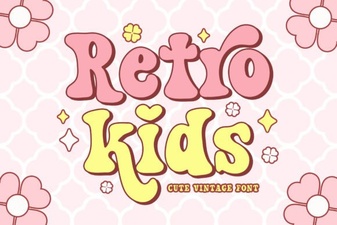 Bring Retro Font Fun to Kids' Designs