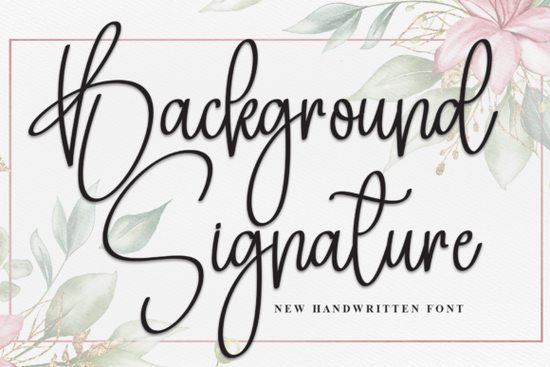
Many creative projects need a personal touch that standard block letters just cannot provide. Whether you are designing a wedding invitation, a new logo for a boutique, or a social media graphic, the right typeface makes all the difference. If you are looking for something that mimics real handwriting without looking messy, the Background Signature Font is a strong contender. It offers a beautiful handwritten style that feels elegant yet accessible, making it a versatile tool for designers and hobbyists alike.
This specific typeface stands out because of its natural, flowing style. Unlike some digital scripts that look stiff or repetitive, this font captures the rhythm of a pen moving across paper. It looks like elegant cursive writing, which is exactly what you need when you want to add a personal and stylish touch to invitations, logos, and social media posts. For small business owners, using a font that feels human can help build trust with customers, making your brand feel more approachable and less corporate.
Where does this font work best?
The versatility of a handwritten script means you can use it in many different contexts. Because the lines are clean but organic, it reads well even at smaller sizes, which is crucial for body text on invitations or product packaging. However, it truly shines when used for headers or signatures.
- Wedding and Event Stationery: The elegant cursive style is perfect for save-the-dates, menu cards, and place settings.
- Branding and Logos: If you run a bakery, a florist, or a consultancy, this font can serve as the centerpiece of your logo.
- Social Media Graphics: Use it to highlight quotes or announcements on Instagram and Pinterest to stop the scroll.
- Product Packaging: It adds a handmade feel to labels for candles, soaps, or artisanal foods.
If you find that this style is too delicate for your specific project, you might prefer a bolder, west-coast vibe. In that case, you could explore options like the California font collection, which often features thicker strokes and a more casual attitude. Conversely, for softer, feminine branding where warmth is key, collections like Peach Club offer similar warmth but with different character shapes.
How do you pair it with other fonts?
One of the most common mistakes designers make is pairing a script font with another script font. This usually creates visual clutter and makes the text hard to read. The Background Signature style works best when paired with a clean, simple sans-serif or a classic serif font.
For example, if you are designing a book cover or an ebook, you might use this script for the author's name or the title, while using a standard font for the subtitle. Authors looking for a classic sign-off often gravitate toward styles found in the book signature category for similar applications. The key is contrast. If your script is flowing and curvy, your supporting font should be straight and structured. This balance ensures that the eye knows where to look first.
For those aiming for a retro feel in their pairing, you should check out vintage handmade styles. Combining a modern signature font with a vintage serif can create a unique "modern-classic" aesthetic that is very popular in home decor and lifestyle branding right now.
What technical features should you look for?
When downloading fonts for commercial use, file format matters. Most professional designers prefer OpenType (OTF) or TrueType (TTF) files because they are compatible with major design software like Adobe Illustrator, Photoshop, and Canva. Web designers will also want to ensure Webfont (WOFF) versions are included if they plan to use the typeface on a website.
It is also important to check the license. Most fonts on Creative Fabrica come with a Print on Demand (POD) license, which allows you to use the font on physical products you sell, like t-shirts or mugs. However, you generally cannot sell the font file itself. Always read the specific license included with your download to avoid legal issues down the road.
If you need something with more impact for headers where legibility is the top priority, Masterday is worth a look. It offers a different weight and structure that might suit bold marketing materials better than a delicate signature script.
Is it easy to install and use?
Yes, installing this type of font is straightforward. On Windows, you simply right-click the font file and select "Install." On a Mac, you double-click the file and click "Install Font" in the preview window. Once installed, it will appear in your font list in programs like Microsoft Word, PowerPoint, or design tools.
One tip for getting the most natural look is to use software that supports OpenType features. This allows you to access alternate characters, such as different versions of the letter "s" or "e." By swapping these alternates manually, you can prevent the "repeating pattern" look that sometimes gives away digital typography, making your design look truly hand-lettered.
Before you finalize your purchase or download, run through this quick checklist to ensure the font fits your project needs:
- Check Legibility: Type out your full text to ensure the loops and tails don't clash or become unreadable.
- Verify the License: Confirm that the license covers your intended use, especially if you are selling physical products.
- Test Pairings: Try the font next to your secondary font to ensure there is enough contrast.
- Look for Alternates: Check if the font includes extra characters to create a more natural, non-repetitive flow.
- Review File Formats: Ensure you have the OTF or TTF files needed for your specific design software.
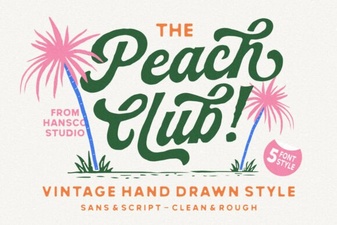 A Stylish Peach Club Font for Your Creative Projects
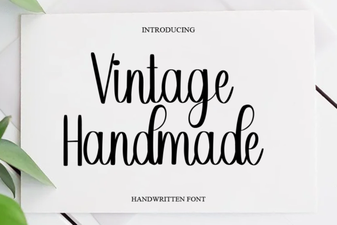 Creative Projects with Vintage Handmade Fonts
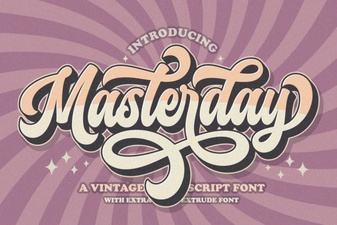 Masterday Font: Creative Typeface for Digital Design
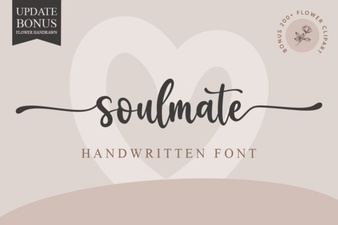 Soulmate Font for Creative Projects & Design
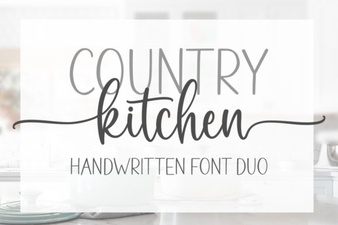 Country Kitchen Fonts for Cozy Craft Projects
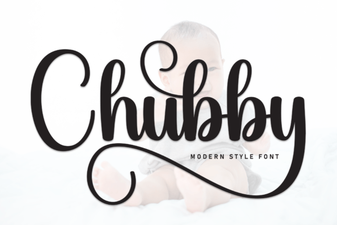 Playful Chubby Fonts for Friendly Design Projects