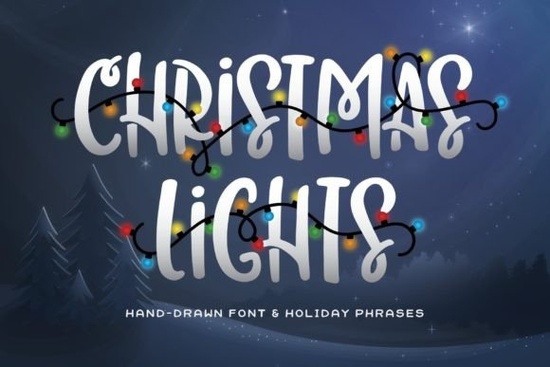
Holiday design projects often fall flat because standard text looks boring and stiff. You want your graphics to scream "celebration" without spending hours drawing individual light bulbs in your design software. That is exactly where the Christmas Lights Font becomes a useful tool for your workflow. It is not just a typeface; it acts as a pre-decorated design element that saves you significant time.
This bold, all-caps font comes with a unique twist: the holiday words are already decorated with stringed lights. Whether you are making a t-shirt for a family reunion or a digital invite for a cookie exchange, this asset does the heavy lifting for you. It brings that warm, festive glow directly into your typography.
What makes this font different from standard holiday typefaces?
Most holiday fonts rely on candy canes, snowflakes, or reindeer antlers to get the point across. While those are classic, they can sometimes feel overused. This specific pack stands out because it focuses on illumination. The Christmas Lights Font mimics the look of actual string lights draped over letters.
The character set includes tons of personality. Because it is bold and uppercase, it remains legible even when shrunk down for smaller items like stickers or tags. The "lights" aren't just an afterthought; they are integrated into the structure of the letters, meaning you don't have to worry about layering elements incorrectly in Photoshop or Cricut Design Space.
How should I pair this with other fonts?
Since this display font is loud, bold, and decorative, it works best when paired with something simpler or more fluid. You generally want a secondary font that supports the main headline without competing for attention.
If you are designing a modern holiday card, try pairing the bold lights with a clean, contemporary script. A font like Hey Baby Font offers a smooth, handwritten feel that balances the blocky nature of the lights. This combination works well for "Happy Holidays" headers where you want one word to pop and the rest to flow.
For those leaning into a rustic or farmhouse aesthetic, you need something with a bit more texture. Consider mixing it with Country Kitchen Font. The slightly rougher edges of a country-style script complement the glowing bulbs, creating a cozy, cabin-in-the-woods vibe perfect for mug designs or wooden sign mockups.
If your project requires a touch of elegance, such as a formal dinner invitation, you might want a more refined partner. Book Signature Font provides that classic, high-end look. Using the lights for the main event title and a signature style font for the details creates a sophisticated hierarchy.
On the other hand, if you are targeting a younger audience or making fun party favors, you can double down on the playfulness. Pairing it with Peach Club Font creates a bubbly, energetic combination that feels very inviting. You can browse more options in the Christmas font script fonts category to find the perfect match for your specific project theme.
Which projects work best with illuminated text?
This type of asset is incredibly versatile for Print on Demand (POD) sellers. Because the design is self-contained, it translates well to various products.
- T-Shirts and Hoodies: The high contrast of the lights works exceptionally well on dark garments. A black or navy blue shirt makes the "glow" of the font pop.
- Greeting Cards: Use the font for the front cover message. It eliminates the need to buy separate clipart for decorations.
- Sublimation Mugs: Wrap the text around a mug for a 360-degree festive look. The bold lines ensure the design doesn't get lost on the curved surface.
- Social Media Graphics: Use it for Instagram stories or Facebook headers during December to instantly update your brand's seasonal look.
Are there technical tips for using this font?
When working with decorative fonts that include extra elements like bulbs or wires, file format matters. Ensure you are using the version compatible with your software (OTF, TTF, or WOFF). If you are using cutting machines like Cricut or Silhouette, you may need to weld the letters together. Since the lights connect the characters, welding ensures the machine cuts the design as one continuous piece rather than individual letters that might fall apart.
Color customization is another key feature. While the preview images often show warm yellow or multi-colored lights, you can change the color in your design software to match your brand palette. Try silver or cool blue lights for a "winter wonderland" theme, or stick to traditional red and green for a classic Christmas feel.
Ultimately, the goal is to make your design process smoother. By using a font that already includes the decoration, you reduce the number of layers in your file and speed up your production time. Whether you are a professional designer or a hobbyist making gifts for family, this tool helps you create professional-looking results with less effort.
Quick Checklist Before You Start Designing
Before you finalize your holiday graphics, run through this quick list to ensure your design looks professional:
- Check Contrast: Does the font color stand out against your background? If the lights are yellow, avoid a white background.
- Test Readability: Step back from your screen. Can you read the message clearly, or do the lights make it too busy?
- Verify Licensing: Ensure your license covers your intended use, especially if you are selling the final product on platforms like Etsy or Amazon Merch.
- Weld for Cutting: If using a cutting machine, remember to weld the text to keep the light strings connected.
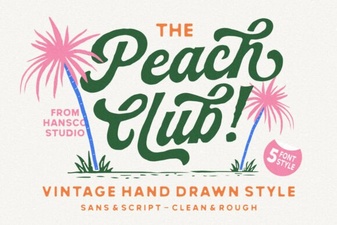 A Stylish Peach Club Font for Your Creative Projects
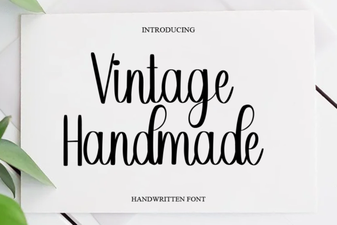 Creative Projects with Vintage Handmade Fonts
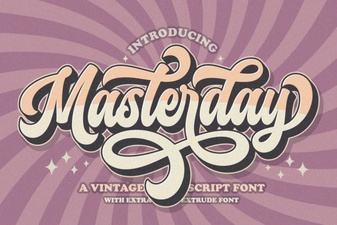 Masterday Font: Creative Typeface for Digital Design
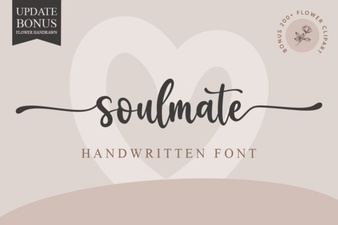 Soulmate Font for Creative Projects & Design
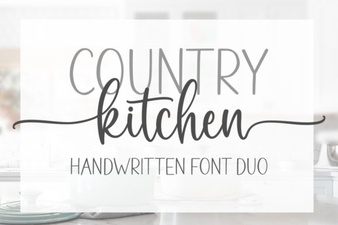 Country Kitchen Fonts for Cozy Craft Projects
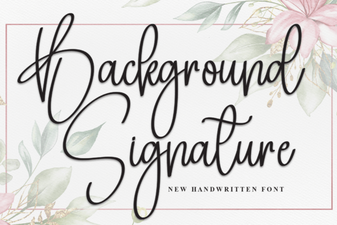 Designing with Unique Background Signature Fonts